

Creating a chatbot that just talks is easy. Building an automated assistant that completes tasks and delivers real value is the real challenge. This is what our guide is all about.
A good chatbot can change how your business works. It makes customer service better, finds new leads, and saves time for your team. These are the goals we aim to achieve.
This guide is easy to follow and helps you build a chatbot that’s smart and useful. We’ll take you through every step, from the start to when it’s ready to use. You’ll learn how to make a chatbot that works well.
Our guide makes it simple to understand. It’s perfect for beginners. By the end, you’ll be ready to start your own chatbot project.
Understanding Chatbots and Their Core Components
Chatbots are automated friends in the digital world. They come in many forms and follow certain rules. Knowing these basics is key for anyone starting a chatbot project.
What is a Chatbot? Defining Automated Conversation
A chatbot is a digital tool that talks to us in words or sounds. It acts like a human friend in a digital chat. It can answer simple questions or handle complex customer service chats.
It uses AI to understand and reply to our speech. This makes it very useful for many tasks.
Key Types of Chatbots: Rule-Based vs. AI-Powered
Chatbots are not all the same. They differ mainly in their technology.
Rule-Based (Decision-Tree) Chatbots: How They Work
A rule-based chatbot follows set rules and paths. It shows users options to choose from. The chat is straightforward and easy to follow.
For example, a banking chatbot might ask if you want to check your balance or report a lost card. Your choice leads to the next step. These bots are great for simple tasks where the user’s needs are clear.
AI chatbots, on the other hand, use Natural Language Processing (NLP) to understand our language. They don’t need buttons but can understand sentences like “What’s my account balance?”
They can grasp the meaning and context of our words. This makes them seem more human. The most advanced ones can even create new responses. They need a lot of data to work well.
| Feature | Rule-Based Chatbot | AI-Powered (NLP) Chatbot |
|---|---|---|
| Core Logic | Pre-defined rules & decision trees | Machine learning models & NLP algorithms |
| User Input | Buttons, keywords, limited phrases | Free-form natural language |
| Flexibility | Low; cannot handle unscripted queries | High; adapts to varied phrasing and context |
| Development & Maintenance | Faster to build, easier to maintain | Requires extensive training data and ongoing optimisation |
| Best For | Simple FAQs, structured data collection, triage | Complex customer service, personalised recommendations, open-ended dialogue |
Essential Components of a Chatbot Architecture
Every chatbot works on a basic chatbot architecture. This structure has three main parts that work together.
The User Interface (UI) and Messaging Channel
This is where the chat happens. It could be on a website, in a messaging app, or through voice commands. The channel decides how we interact with the bot.
The Natural Language Processing (NLP) Engine
This is the brain of AI chatbots. For simple rule-based chatbots, this part is small. For AI bots, the NLP engine does important tasks:
- Intent Recognition: It figures out what we want (like booking a flight).
- Entity Extraction: It finds important details (like “London” as a destination).
- Context Management: It keeps track of the conversation to keep it flowing.
The Dialogue Management and Backend Logic
This part decides how the bot responds. It uses the NLP engine’s findings to guide the chat. It manages the conversation, gets information, and sends replies back to us.
Planning Your Chatbot: Strategy and Pre-Development
The success of a chatbot starts with a clear plan, not just its tech. This early stage turns a vague idea into a detailed plan. It guides every tech choice, making sure your chatbot is useful.

Define Your Chatbot’s Purpose and Scope
First, decide what your chatbot should do. A clear goal is better than trying to do everything. It could help with customer support, qualify leads, or give quick product info. Knowing its purpose makes building it easier and more focused.
Setting Clear, Measurable Objectives
Goals like “improve service” are too vague. Instead, set specific, measurable targets. These goals help you see if your chatbot is working and if it’s worth the cost.
| Objective Category | Example Metric | Target |
|---|---|---|
| Customer Service | First-Contact Resolution Rate | Increase by 40% |
| Sales & Marketing | Qualified Leads Generated | 200 per month |
| Operational Efficiency | Reduced Routine Inquiry Tickets | Decrease by 60% |
| User Engagement | Conversation Completion Rate | Achieve 85% |
This table shows how to make broad goals into specific, measurable ones. These goals are directly linked to business success.
Identifying Your Target Audience and Use Cases
Your chatbot needs to serve real people. Find out who your main users are—are they current customers, possible buyers, or staff? Knowing their needs and tech comfort is key. This info shapes the bot’s language and features.
Creating User Personas and Sample Dialogues
Make your audience real by creating detailed personas. For a retail bot, a persona might be “Sarah, a 30-year-old busy professional”. She values quick, accurate answers on return policies. Then, think of specific chatbot use cases for Sarah.
Write sample dialogues for these scenarios. This helps clarify the conversation flow and spots any possible misunderstandings early.
User: “Hi, I need to return a dress I bought online last week. It’s the wrong size.”
Chatbot: “I can help with that, Sarah. Do you have your order number handy, or should I look it up using your account email?”
This simple exchange shows the bot needs to access order data and offer various ways to identify users.
Selecting the Right Platform and Channels
Choose where your customers are most active. Putting your chatbot where they already spend time boosts engagement. The platform and channel you pick also affect the tech needs and how hard it is to integrate.
Evaluating Web, Mobile, and Social Media Integration
Each channel has its own benefits and fits different chatbot use cases. Your choice should be a thoughtful decision, not an afterthought.
- Website/Live Chat: Great for direct customer support during browsing or checkout. Offers full control over branding and data.
- Facebook Messenger: Excellent for broad consumer engagement, promotions, and social customer service where users are already active.
- WhatsApp Business API: Perfect for personalised, transactional communication like order updates or appointments, in regions where it dominates.
- Mobile App Integration: Best for improving the app experience with in-app support or features.
Choosing the right chatbot platform is key to your pre-development strategy. A bot for quick FAQs is best on your website, while a promotional bot is better on social media. This choice shapes the design and development phases.
Choosing Your Development Tools and Technology Stack
Choosing how to make your chatbot is a big decision. You can go for speed and simplicity or for customisation and control. The tools you pick will shape your chatbot’s features, how it grows, and how you keep it running. This choice depends on your project’s goals, your team’s skills, and your future plans.
There are three main ways to start. Here’s a quick comparison to help you decide.
| Approach | Best For | Key Considerations |
|---|---|---|
| No-Code/Low-Code Platforms | Rapid prototyping, non-technical users, simple FAQ bots | Fast setup, limited customisation, often subscription-based |
| Open-Source Frameworks | Developers seeking balance of control and pre-built features | High flexibility, requires coding, strong community support |
| Custom Programming | Unique, complex requirements and full architectural control | Maximum flexibility, longest development time, highest technical demand |
No-Code/Low-Code Platforms for Rapid Prototyping
For quick prototypes without coding, no-code or low-code platforms are great. They offer a visual way to design chat flows and have built-in NLP. This lets you focus on the chat content while they handle the tech.
Tools like Tidio and Chatfuel are perfect for simple marketing or customer service bots. For more complex needs, there are powerful tools available.
Examples: Dialogflow CX, Microsoft Power Virtual Agents
Dialogflow CX (by Google) is a top choice for complex chatbots. Its visual builder is great for detailed conversations, and it works well with Google Cloud services.
Microsoft Power Virtual Agents is a key part of the Microsoft Power Platform. It lets teams create chatbots that can do lots of things, like trigger workflows and connect to many services.
Other notable services include IBM Watson Assistant and Amazon Lex. They offer deep integration with their cloud services.
Open-Source Frameworks for Full Control
For unique needs, open-source chatbot frameworks are a good choice. They offer a solid base and pre-built parts, but you control the code and data. This is popular with developers who want custom solutions.
Examples: Rasa, Botpress, and Their Ecosystems
Rasa is a leading open-source chatbot framework. It’s known for its machine learning NLP. You can train it on your data. Rasa is flexible but needs strong chatbot programming skills, usually in Python.
Botpress offers a mix of visual and code-based development. Its visual interface makes designing flows easy, while its NLP and code actions let developers add custom logic. It supports many channels and integrations.
These ecosystems have active communities. They offer plugins, tutorials, and forums to help speed up development.
Programming Languages and Core Libraries
For full control and innovation, building from scratch is the best choice. This is for teams needing complex logic, integration with unique systems, or detailed performance optimisation.
Python with NLTK and spaCy for NLP
Python is key for AI and chatbot programming. It has essential libraries for natural language understanding.
- NLTK (Natural Language Toolkit): Great for symbolic NLP tasks like tokenisation and tagging. It’s good for learning and prototyping.
- spaCy: Fast and accurate for syntactic parsing and named entity recognition. It’s ready for production.
For machine learning, use PyTorch, TensorFlow, and Scikit-learn to build custom models.
JavaScript/Node.js for Real-Time Web Bots
For chatbots on websites or needing real-time communication, JavaScript and Node.js are essential. They let you build a seamless interface and a scalable backend with one language.
Express.js makes server creation easy, and socket libraries (like Socket.IO) enable instant communication. This makes JavaScript great for live chat, gaming bots, or any app needing quick user feedback.
Designing the Conversation Flow and User Experience
Before coding starts, you need to plan your chatbot’s personality and paths. This is called conversation design. It’s about creating interactions that are easy, helpful, and fun.
As one source notes,
Start by mapping how someone might use your chatbot. Think through typical moments—greeting, asking a question, getting help… This is your user journey.
This journey is key to your design. It makes sure every interaction has a purpose.
Mapping User Intents and Bot Responses
Understanding what the user wants (the intent) and how the bot should answer is key. An ‘intent’ is a goal, like ‘book a flight’ or ‘check order status’. Your chatbot must recognise these intents and map them to correct responses and actions.
Accurate mapping requires anticipating different ways a user might express the same intent. This is where brainstorming user utterances becomes critical.
Techniques for Brainstorming User Utterances
To train your chatbot’s Natural Language Understanding (NLU) effectively, you need a diverse set of example phrases for each intent. Effective techniques include:
- Role-Playing Sessions: Have team members act as users and voice possible questions.
- Analysing Customer Support Logs: Review real transcripts from emails or live chats for common phrasing.
- Using Mind Maps: Visually branch out from a core intent (e.g., “reset password”) to related phrases (“I forgot my login”, “can’t access my account”).
- Leveraging Public Datasets: Explore resources like the SNIPS or ATIS datasets for inspiration on common utterance patterns.
Collecting a wide range of utterances, including misspellings and slang, makes your chatbot more robust from the start.
Creating Dialogues and Handling Branches
A conversation is rarely a straight line. Users may change topics, ask for clarification, or provide unexpected answers. Your design must handle these branches gracefully. This involves creating decision trees that guide the conversation based on user input.
As highlighted in development notes, you must “design the chatbot conversation… configure the decision tree with actions and messages.” Each user choice leads to a new branch, whether it’s selecting a product option, confirming a date, or asking for more details.
Using Flowcharts and Wireframing Tools Like Miro
The most effective way to visualise these complex branches is through flowcharts. They allow you to see the entire conversation flow at a glance, spot dead ends, and ensure all paths lead to a resolution.
Tools like Miro, Lucidchart, or Draw.io are invaluable for this. They enable collaborative, visual mapping of every possible dialogue path. Start with a happy path (the ideal user journey), then add branches for alternatives, errors, and help requests.
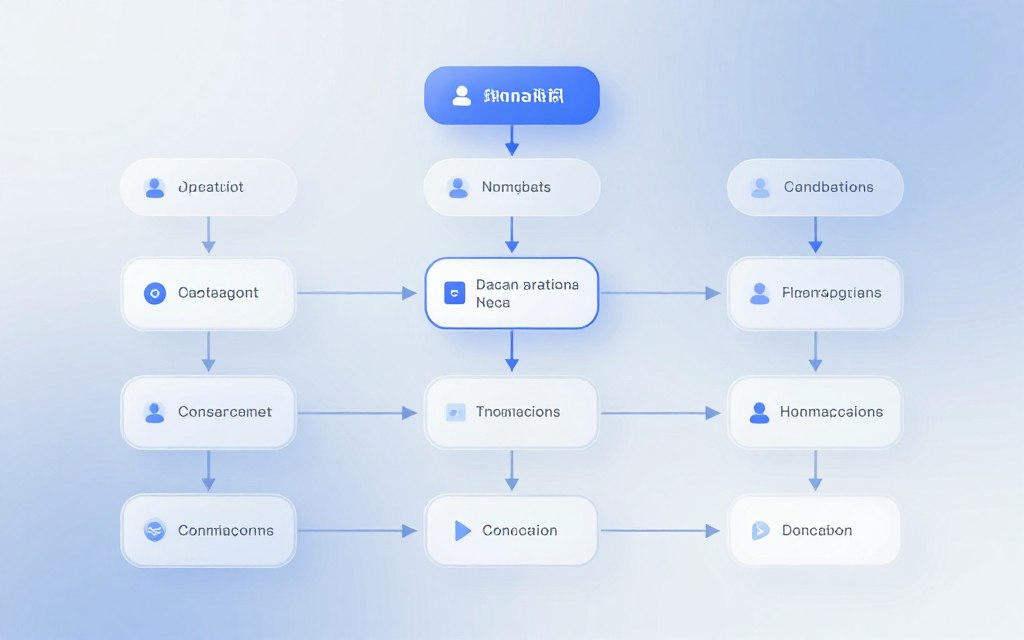
This central visual keeps your entire team aligned on the user experience structure before development begins.
Writing Natural and Engaging Dialogue Scripts
The structure is vital, but the words your chatbot uses will determine if users enjoy the interaction. Scripts should sound human, not robotic. This means adopting a consistent tone, using clear language, and avoiding jargon.
Good dialogue scripts guide users without being patronising. They confirm actions, offer clear choices, and express empathy when needed. The personality of your bot—whether professional, friendly, or witty—should shine through consistently.
Principles for Tone, Clarity, and Error Recovery
When scripting, adhere to these core principles:
- Tone of Voice: Define your bot’s character (e.g., “helpful assistant”) and maintain it. Use contractions (“I’m”, “you’ll”) for informality unless a formal brand voice is required.
- Clarity of Options: Always present choices explicitly. Use buttons or numbered lists for multiple options to reduce user effort.
- Error Recovery: This is critical. When the bot doesn’t understand, never just say “I don’t understand”. Offer a helpful fallback: “I’m not sure I caught that. You can ask about store hours, locations, or current promotions. Which would you like?” This gently guides the user back on track.
- Escalation Paths: Clearly signpost how to reach a human agent. A script like, “I’m learning. Would you like me to connect you with a customer service representative?” maintains trust.
Exceptional conversation design anticipates friction points and scripts compassionate, clear responses. This keeps the user feeling supported and valued throughout their journey.
How to Develop a Chatbot from Scratch: The Build Phase
This guide takes you through the four key steps to create your chatbot’s structure. From setting up to integrating live data, this phase is where your chatbot comes to life. It will learn, decide, and act on its own.
Step 1: Setting Up Your Development Environment
Starting with a solid foundation is essential. This step is about setting up the core tools your chosen technology needs.
Installing Python, Node.js, or Framework-Specific Tools
If you’re using Python, like with Rasa or ChatterBot, get the latest version from python.org. For Node.js tools, such as Botpress or Microsoft Bot Framework, install Node.js and npm. Use a virtual environment or a project manager like nvm to keep things tidy and portable.
Step 2: Building the Backend Logic and Business Rules
This is where your chatbot’s brain is built. The backend holds the rules for how your bot responds to user input.
Coding the Core Decision-Making Functions
These functions understand the user’s intent from the NLP engine and decide the next action. For a rule-based bot, it’s simple “if-then” statements. For AI, it might involve calling an API or getting data based on the intent. Keep it simple and organised.
Structuring Your Project for Maintainability
Organise your code from the start. A good structure might have separate files for intents, dialogue states, API handlers, and utilities. This makes it easier to update and add new features later. Use clear comments to explain your code.
Step 3: Integrating and Training the NLP Engine
This is the core of AI chatbot development. Your bot needs to understand natural language, not just keywords.
Configuring Intent Recognition and Entity Extraction
First, define your intents, like “book_flight” or “check_balance.” Then, identify entities, like “London” or “£500.” Tools like Dialogflow, Rasa NLU, or LUIS help set these up.
The engine’s accuracy relies on good training data. Collect lots of real-world examples for each intent. Include different words and typos.
Each example should be labelled with its intent and entities. This is a time-consuming but essential step.
Adding NLP doesn’t mean it automatically ‘gets it.’ You have to teach it with real-world queries.
Start with a small dataset and grow it as needed. This helps improve the model’s accuracy.
Step 4: Connecting to External APIs and Databases
To do more than just answer questions, your chatbot needs to talk to other systems. This is what makes it truly useful.
Fetching Dynamic Data and Performing Actions
Use API calls to get live data. For example, connect to a weather API for forecasts or your product database for stock levels. Your backend can also perform actions, like creating events or support tickets.
Make sure to handle API errors well. If a service is down, your bot should have a nice message instead of crashing. This final step turns your chatbot into a powerful tool for complex tasks.
Implementing Core Features and Functionality
With the basic code set up, the next step is to make your chatbot smarter. This involves adding key features and testing them thoroughly through chatbot testing. This process turns a simple chatbot into a powerful tool that users will love.
It’s all about creating thoughtful responses, remembering what users said before, and making interactions fun.
Testing every feature is key to making sure your bot works perfectly before it goes live.
Creating a Fallback Strategy for Unrecognised Queries
Not every chatbot can understand everything. A good fallback strategy helps handle unknown questions well. It keeps users happy instead of frustrated.
Start with messages that say sorry and guide users back on track.
For example, saying, “I’m sorry, I didn’t quite get that. You can ask me about store hours, our return policy, or speak to a team member,” is better than a simple “Error.”
Designing Helpful Escalation Paths
It’s important to always have a way to talk to a real person. When the bot can’t understand or when the question is complex or emotional, it’s time to hand over to a human. This chatbot integration point might send the chat to a live chat, offer a callback, or give a direct email to customer service.
Clear paths for escalation prevent dead-ends and show users that help is always there.
Adding Context and Memory to Conversations
Basic bots treat each message as a new start. But advanced bots remember the conversation. This makes the chat feel natural and efficient.
It means your bot can recall what the user said before, refer back to earlier points, and handle pronouns like “it” or “that” correctly.
Managing Session and Long-Term User Data
Session data is short-lived, lasting only for one chat. It lets the bot remember the user’s name or the product they were asking about. Long-term memory, stored in a database, lasts across many chats.
This lets your bot greet users personally, like, “Welcome back, Alex! Ready to continue with your order?” Managing data well is key for this.
Implementing User Authentication and Personalisation
For a more personal service, chatbot integration with your user login system is essential. Once a user logs in, the bot can see their account history, past orders, or saved preferences.
This lets the bot give tailored responses, like order tracking for that user or product recommendations based on their past choices.
Incorporating Rich Media and Interactive Elements
Text-only chats can be dull. Adding rich media and interactive elements makes the chat more engaging. It helps users understand better and makes actions clearer.
Quick replies are pre-set options users can tap. They’re great for yes/no questions or choices. Carousels show a row of items, each with an image, title, description, and action buttons.
This is perfect for showing off products or services. Buttons should have clear labels like “View Details,” “Add to Basket,” or “Schedule Appointment.” These elements turn a passive question into an active, guided experience.
Rigorous Testing and Iterative Refinement
This is where many chatbot projects go wrong. Thorough chatbot testing is essential for quality. It’s a cycle of finding issues, fixing them, and testing again before launch.
Conducting Functional and Dialogue Flow Tests
Start by checking if everything works technically. This includes API connections, database calls, and how the bot responds. Dialogue flow tests make sure the conversation logic works for all possible user paths.
Developing a Detailed Test Case Suite
Don’t just test the obvious. Create a detailed test case suite. This should cover:
- Happy paths (ideal user journeys).
- Edge cases (unusual inputs, rapid-fire messages).
- Error handling (gibberish, offensive language, out-of-scope queries).
Document each test case with the expected bot response to ensure consistency.
Usability Testing with Real Users
After internal checks, test with real users. This shows how people really use your bot, revealing hidden issues. Invite a small group from your target audience to use the chatbot for specific tasks.
Gathering Feedback and Identifying Pain Points
Watch where users get stuck or frustrated. Ask for feedback on message clarity and navigation ease. This qualitative data is invaluable for improving the user experience.
Look for patterns in feedback to see what needs redesign.
Analysing Performance and Improving NLP Accuracy
The last testing layer is to check how well your bot understands. The goal is to measure and boost how accurately your Natural Language Processing (NLP) engine classifies user intents.
Using Confusion Matrices and User Logs
A confusion matrix shows how often your NLP model gets it right or wrong. It highlights misunderstandings. User logs give raw data on what users actually said.
As one expert advises, “Look at missed responses or fallback triggers—what didn’t the bot understand?” Analyzing these logs helps improve the model with new phrases, closing knowledge gaps.
| Test Type | Primary Goal | Key Activities | Metrics & Tools |
|---|---|---|---|
| Functional & Flow | Verify technical correctness and logical dialogue paths. | Executing predefined test case suites; checking API integrations. | Pass/Fail rate per test case; debugging consoles. |
| Usability | Assess user experience and interface intuitiveness. | Observing real users completing tasks; conducting feedback interviews. | Task completion rate; time-on-task; user satisfaction scores. |
| NLP Performance | Measure and improve language understanding accuracy. | Analysing confusion matrices; reviewing user query logs for fallbacks. | Intent recognition accuracy; fallback rate; precision/recall scores. |
By carefully adding these core features and following a structured chatbot testing plan, you greatly increase your bot’s success. This phase ensures your chatbot is not just functional but also helpful, resilient, and ready for real-world chatbot integration.
Deployment, Integration, and Ongoing Management
Launching your chatbot is just the beginning. It’s the start of a journey to make it better. You need a strong hosting, to work well with other systems, and to keep an eye on it all the time. This ensures your chatbot works well, grows as needed, and gets better with user feedback.
Choosing a Hosting Solution: Cloud vs. On-Premises
First, you must decide where to host your chatbot. You can choose cloud or on-premises hosting. Each option affects cost, how easily it can grow, and how much work you’ll need to do to manage it.
Cloud hosting, like AWS, Azure, and Google Cloud, is popular. It lets you focus on your chatbot’s logic. You only pay for what you use, which saves money when traffic changes.
On-premises hosting means using your own servers. It gives you full control and keeps your data safe. But, it costs more and needs a lot of IT knowledge.
Options: AWS, Google Cloud, Azure, or Private Servers
Each cloud provider has tools to help you set up your chatbot. Pick one that fits your technology and needs.
| Platform | Key Chatbot Services | Best For |
|---|---|---|
| AWS | Amazon Lex, Lambda, API Gateway | Deep integration with other AWS services, high scalability |
| Google Cloud | Dialogflow CX, Cloud Functions | Advanced NLP capabilities, strong AI/ML tools |
| Microsoft Azure | Azure Bot Service, QnA Maker | Enterprises using Microsoft 365, Teams integration |
| Private Servers | Self-managed infrastructure | Strict data governance, full customisation control |
Integrating with Messaging Platforms and Your Website
To use your chatbot, it must connect with where people chat. This means linking it to apps like Facebook Messenger and WhatsApp. You also need to add a chat box on your website.
Setting this up usually means creating a developer app and getting API keys. The main way it talks to your chatbot is through webhooks. These are special URLs that send data when something happens.
Configuring Webhooks and Security Certificates
Webhooks are how your chatbot listens for messages. You need to secure this with an SSL/TLS certificate. This keeps data safe as it travels.
- Webhook URL: A publicly accessible endpoint on your hosted chatbot.
- Verification: Platforms may send a challenge token to verify endpoint ownership.
- Security: Implement authentication (e.g., secret tokens) to ensure only the platform can call your webhook.
- Error Handling: Build robust logging and retry logic for failed webhook calls.
Launching Your Chatbot and Monitoring Initial Traffic
Start with a small group or one channel to test your chatbot. This lets you find and fix problems before everyone uses it.
Launching a chatbot is only the start. What matters next is how well it performs.
Watch your server logs and how fast it responds. A big increase in users can be a problem if it can’t grow. Be ready to change how it works based on what users say.
Key Post-Launch Metrics and Maintenance Routines
Improving your chatbot comes from data. Use a dashboard to track important chatbot metrics that show how it’s doing.
- Resolution Rate: The percentage of conversations where the bot fully resolves the user’s query without human escalation.
- Fallback Triggers: How often the bot fails to understand intent. High rates indicate NLP training gaps.
- User Satisfaction (CSAT): Post-chat survey scores provide direct feedback on experience.
- Drop-off Points: Identify where in conversation flows users abandon the chat.
Keeping your chatbot in top shape is a regular task. Think of it as a system that needs updates.
- Weekly: Review conversation logs for new user phrases to add to NLP training.
- Monthly: Update dialogue scripts and knowledge base content for accuracy.
- Quarterly: Retrain the NLP model with expanded data and analyse metric trends for major refinements.
This cycle of checking, analysing, and updating keeps your chatbot helpful and accurate. It stays in tune with what users need, even after it’s first launched.
Conclusion
This guide has shown you how to create a chatbot from scratch. You’ve learned about the key steps: having a clear plan, choosing the right tools, and testing often. These steps are the foundation for success.
Building an effective AI chatbot begins with solving a specific problem. Start with a simple goal to keep things manageable. The cost can range from a few thousand dollars to over $100,000, depending on the complexity.
The launch of your chatbot is just the beginning. It will grow as you keep an eye on it and listen to user feedback. You can use platforms like Dialogflow or code with Python libraries. The journey is open to you.
For more details on the technical side, check out this step-by-step guide on how to build your own AI. You now have the knowledge to start this project. Set your goal, begin building, and improve how you connect with your audience.
FAQ
How much does it cost to develop a chatbot from scratch?
The cost varies a lot, depending on how complex it is. Using tools like ManyChat or Chatfuel can be very cheap or even free for basic plans. For a custom AI chatbot, like those built with Rasa or Botpress, you’ll need to pay for developer time and cloud hosting. It’s wise to start simple, test it first, and then invest more.
Do I need to be a programmer to build a chatbot?
No, you don’t always need to be a programmer. For simple chatbots, like answering FAQs or capturing leads, you can use no-code tools like Dialogflow CX or ManyChat. But for a custom AI chatbot that works closely with your business, you’ll need programming skills in languages like Python or JavaScript, or you’ll need to hire someone who does.
What is the difference between a rule-based chatbot and an AI chatbot?
A rule-based chatbot follows a set path based on keywords. An AI-powered chatbot uses Natural Language Processing (NLP) to understand what you mean, even if you say it differently. AI chatbots can have more natural conversations and learn from you, but they’re more complex to set up.
How long does it take to build and launch a chatbot?
For a simple chatbot, you could have it up and running in days with a no-code tool. But a more advanced AI chatbot takes longer. It needs careful planning, development, and testing. This can take weeks to months, depending on how complex it is and the team’s experience.
What is ‘training data’ and why is it so important for an AI chatbot?
Training data is what you teach your chatbot’s NLP engine with. It’s like showing it examples of what users might say. Good training data is key for your chatbot to understand users well. Bad data leads to misunderstandings and a bad user experience.
Can I build a chatbot that connects to my existing database or CRM?
Yes, connecting your chatbot to your database or CRM is common and useful. You can do this through API integrations. This lets your chatbot get live data or do actions, like creating a new lead in Salesforce or a ticket in Zendesk. This usually requires custom development, even with open-source frameworks.
How do I measure if my chatbot is successful after launch?
Success is about meeting your goals. Look at metrics like resolution rate, user satisfaction, escalation rate, and task-specific goals. Regularly check conversation logs and these metrics to keep improving your chatbot.
Is it feasible for a beginner to build a truly custom AI model for a chatbot?
For most business needs, beginners and experts use existing NLP engines and frameworks. Building a custom AI model from scratch is a huge task in machine learning. It’s not usually needed. Instead, use platforms like Google’s Dialogflow, Microsoft Bot Framework, and Rasa to customise your chatbot with your own data and rules.


 By
By