

When exploring video tools, many people ask, “is InVideo AI good?” InVideo AI aims to simplify video production, but this InVideo AI review assesses more than automation. The key question is: Is InVideo AI worth considering?
We examine InVideo AI features such as video quality, text-to-video generation, editing tools, templates, and voiceover options. We also cover InVideo AI pricing, ease of use, customization, and watermarks on final videos. We compare it with Synthesia, Pictory, and Runway.
Creators, marketers, small businesses, educators, and social media teams may benefit. It offers a fast way to make videos without filming or advanced editing skills. Yet users should weigh creative limits and subscription restrictions against its shorter production time.
Key Takeaways
- InVideo AI offers a streamlined video creation process suitable for various users.
- Key features include text-to-video generation and a range of templates.
- Pricing plans vary, with options for both free and premium users.
- Potential limitations exist in creative control and output quality.
- It is ideal for quick video drafts but may not meet all storytelling needs.
What Is InVideo AI? Platform Overview and Background
InVideo AI is a leading online video maker that uses artificial intelligence to simplify video creation. This browser-based platform makes video production easier for users at every skill level. With advanced features, it helps people and businesses create high-quality videos without deep technical knowledge.
The InVideo AI platform helps with scripts, scene plans, media selection, voiceovers, and editing. Unlike desktop editors, it uses artificial intelligence to automate many tasks instead of requiring manual scene construction. This approach lets users focus on creative work rather than technical details.
Company Background and Development
InVideo was created to make video creation more efficient and easier for users. The platform has evolved by focusing on prompt-based and automated workflows. This change reflects rising demand for tools that create engaging videos quickly and easily.
As video production changes, InVideo AI has become a key player in the AI video generator market. Its focus on user experience and powerful tools has attracted a diverse audience.
Core Purpose and Target Market
What is InVideo AI? Its core purpose is helping users create publishable videos without a professional production team. Its target market includes:
- Small business owners and entrepreneurs
- Social media managers and content creators
- Educators, coaches, and course creators
- Marketing professionals and agencies
These users can generate videos quickly and efficiently with the platform. However, its value depends on the content type and the user’s desired creative control. Users may need to review and refine AI-generated results to meet their standards.
Key Features of InVideo AI
InVideo AI offers tools that make video creation faster and easier. It combines advanced technology with simple controls for beginners and experienced creators. These features support many video projects.
AI-Powered Video Generation
At its core, InVideo AI uses its AI-powered video generation feature to turn written content into engaging videos. This process helps users create videos with less effort.
Text-to-Video Capabilities
The InVideo AI text to video feature turns a script or outline into a video draft. The draft can include scenes, visuals, narration, and transitions, which helps streamline the creative process.
Automated Script Generation
The AI script generator speeds up the idea stage by creating early scripts from user prompts. Users should review and refine each script. This helps match their brand voice and message.
Editing Tools and Template Library
InVideo AI combines editing tools with a rich template library to improve the user experience.
Pre-Built Templates
The platform offers many InVideo AI templates for social media videos, advertisements, and promotional materials. These templates save time and give projects a professional look with little effort.
Stock Media and Asset Access
Users also get access to extensive InVideo AI stock media. The library includes images, videos, and audio clips. Creators can enrich projects without finding assets on their own.
Voice, Audio, and Branding Features
InVideo AI also provides voice and audio features that support strong branding.
AI Voiceover Options
The AI voiceover feature offers several voice options for high-quality narration. Users can choose voices that match their brand’s tone and style, improving the viewer experience.
Background Music and Sound Effects
InVideo AI also includes background music and sound effects. Users can adjust these audio elements to match the video’s mood and increase engagement. They should review licensing terms before commercial use.
InVideo AI Pricing Plans and Subscription Options
Understanding each InVideo AI subscription helps you choose the right video creation plan. The platform offers options for casual creators, professional teams, and different production goals.
Free Plan Details
The InVideo AI free plan is a useful starting point for new users. It lets you explore the platform without paying. Key features include:
- Generation Credits: Limited credits per month for video creation.
- Export Resolution: Videos can be exported at a lower resolution.
- Watermarks: All videos will have a watermark, indicating they are part of the free tier.
- Storage: Basic storage options with limited space for projects.
- Stock-Media Access: Limited access to stock media resources.
This plan suits individuals who want to test video creation.
Plus Plan Features and Pricing
Upgrading to the InVideo AI Plus plan adds features for users ready to improve video production. This plan typically includes:
- Increased Generation Capacity: More credits for creating videos.
- Export Options: Higher resolution exports without watermarks.
- Storage: Expanded storage for your projects.
- Access to Premium Assets: A wider range of templates and stock media.
Plus plan pricing varies, so check the current rates on the InVideo AI website.
Max Plan Features and Pricing
The InVideo AI Max plan suits users with high production volumes. It provides:
- Large Credit Allowances: A significant increase in monthly generation credits.
- Concurrent Work: Ability to work on multiple projects simultaneously.
- Expanded AI Generation Access: Enhanced capabilities for advanced users.
This plan suits businesses and creators who produce large amounts of content regularly.
Enterprise and Team Solutions
For organizations, the InVideo AI enterprise plan offers complete solutions. Key features include:
- Collaboration Tools: Enhanced features for team collaboration and project management.
- Administrative Controls: Tools for managing user access and permissions.
- Custom Billing and Support: Tailored support and billing options to fit organizational needs.
- Security and Brand Governance: Advanced security features to protect your brand.
Compare monthly and annual billing options, renewal prices, and overage rules. Calculate the cost per finished video, then check cancellation policies and credit rollovers.
Is InVideo AI Good? Evaluating Performance and Output Quality
Understanding InVideo AI performance and output quality helps users judge how well the platform meets their video creation needs.
Video Output Quality and Resolution
The InVideo AI output quality matters when users publish videos on different platforms. InVideo AI video resolution options include HD and 4K, helping content look clear across platforms. Yet fast drafts may show uneven branding or awkward timing, so users should review videos before publishing.
Speed and Workflow Efficiency
InVideo AI performance stands out because prompt-based generation works quickly. It cuts time spent scripting, finding assets, and assembling scenes. Creators can focus on content quality, but fact-checking and final quality control still matter.
User Interface and Learning Experience
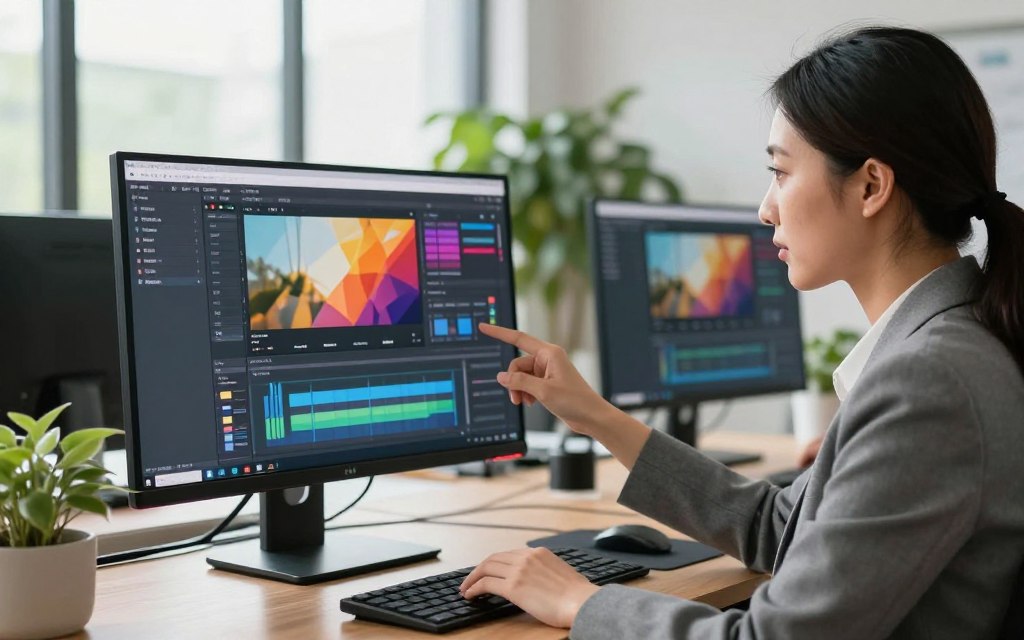
The InVideo AI user experience supports both beginners and experienced creators. Its intuitive interface, clear prompts, and timeline controls make navigation and precise editing easier. Advanced tools may challenge less tech-savvy users, but the platform balances access with useful features.
In conclusion, InVideo AI works well for speed and accessibility. Its value drops for projects needing exact visual direction or highly original storytelling. These limits can help users decide whether it fits their video production needs.
Pros of Using InVideo AI for Video Creation
InVideo AI offers several advantages that improve video creation. These benefits help content creators and marketers work faster. These are key InVideo AI pros and benefits of InVideo AI.
Time-Saving Automation Benefits
One key benefit is its automated video creation feature. It saves time by handling ideation, scripting, scene assembly, and asset selection. Together, these tools streamline the production process.
It also creates voiceovers and captions quickly, so users can make fast revisions. This efficiency lets creators focus on content instead of technical details.
Accessibility for Non-Technical Users
InVideo AI is designed for easy use. It helps people without experience in professional editing software, camera operation, or audio engineering. Its simple interface supports high-quality videos without advanced technical skills.
This wider access lets anyone create engaging content, regardless of background. It especially helps small business owners and marketers expand their reach. They can work without a large production team.
Cost-Effectiveness Compared to Traditional Production
For affordable video production, InVideo AI stands out. Traditional production may need writers, voice actors, editors, and designers. InVideo AI offers subscription-based plans that can be significantly more economical.
Actual savings depend on video volume, quality expectations, and editing time. For creators who publish often, the cost benefits can be substantial.
Scalability for Content Creators and Marketers
InVideo AI supports strong scalable content creation. Creators can adapt one concept for many platforms, formats, and languages. This helps marketers reach varied audiences and stay present across channels.
Scalability still requires editorial standards and brand guidelines. Human review remains necessary to keep content high-quality and relevant.
| Feature | InVideo AI | Traditional Production |
|---|---|---|
| Time to Create | Hours | Days/Weeks |
| Technical Skills Required | Minimal | High |
| Cost | Subscription-Based | High Initial Costs |
| Scalability | High | Limited |
Cons and Limitations of InVideo AI
InVideo AI offers impressive features, but it also has important drawbacks. Understanding these InVideo AI limitations helps users make informed choices. These InVideo AI cons may affect creative control, cost, and workflow.
Limited Creative Control and Customization
One major drawback is limited creative control. Users may struggle to guide camera angles, shot lengths, and exact visual details. Automatic tools may choose generic visuals that need major edits to fit a product, place, or brand message.
Output Restrictions and Watermarking Issues
Free users should review several InVideo AI restrictions before making videos. Videos may contain an InVideo AI watermark, which can make content look less professional. Resolution, generation credits, and stock media limits may reduce quality, so check commercial-use rules before creating client work.
Learning Curve for Advanced Features
Basic InVideo AI workflows are user-friendly, but advanced editing takes practice. Users may face a learning curve and need extra time to master advanced tools. “The basics are easy, but the advanced options took me a while to get the hang of.”
Internet Dependency and Processing Limitations
InVideo AI depends heavily on a stable internet connection. Users may face queue times, failed generations, and limits with large projects. Its processing capacity can slow video creation, which affects offline work and quick deadlines.
In conclusion, InVideo AI offers many benefits, but users should weigh its AI video editing drawbacks. Human oversight helps protect accuracy, originality, legal compliance, and brand consistency. For more insights, read our detailed review of InVideo AI.
InVideo AI vs. Top Competitors in the Market
To judge InVideo AI, compare it with other popular platforms. This AI video software comparison can help match each tool to your needs.
InVideo AI vs. Synthesia
InVideo AI vs Synthesia shows two different strengths. Synthesia creates AI avatars for business communication, training, and multilingual content. InVideo AI suits mixed-media social and promotional videos, with more templates and editing tools.
InVideo AI vs. Pictory
InVideo AI vs Pictory highlights different content workflows. Pictory turns long-form content into videos using automatic highlights and captions. InVideo AI offers more templates and creates short promotional clips from existing material for marketers.
InVideo AI vs. Runway
InVideo AI vs Runway compares speed with advanced visual control. Runway supports visual effects, generative video experiments, and unique visual storytelling. InVideo AI creates all-purpose videos quickly, without sacrificing quality.
Your choice depends on your needs and use cases. InVideo AI is a strong choice for fast creation and may be the best AI video generator for many users. Choose Synthesia for avatar-led business communication, Pictory for content repurposing, or Runway for advanced generative visuals.
Who Should Use InVideo AI? Ideal Users and Use Cases
InVideo AI serves many users and supports different video needs. It helps answer who should use InVideo AI: people seeking engaging videos without advanced skills or large resources.
Small Business Owners and Entrepreneurs
InVideo AI for small business helps owners create product explainers and local promotions. They can also make customer FAQs, advertisements, and launch announcements efficiently. Entrepreneurs can create website content without a full production team, making this a cost-effective solution.
Social Media Managers and Content Creators
InVideo AI for social media helps managers make videos for specific platforms. They can create promotional clips, educational posts, and listicles. Creators can repurpose existing content, test new formats, and learn what their audiences prefer.
Educators, Coaches, and Course Creators
InVideo AI for educators helps create lesson introductions and instructional explainers. Educators and coaches can also produce recap videos and course promotions with engaging, accessible content. Narrated presentations can improve learning while keeping facts accurate and pacing appropriate.
Marketing Professionals and Agencies
InVideo AI for marketing agencies helps marketing professionals and agencies develop campaign concepts and social content calendars. It creates quick drafts and variations for client presentations and internal communications.
However, InVideo AI may not suit everyone. Filmmakers with frame-by-frame control, brands with specialized visual systems, and organizations with strict security or compliance needs may face limits. They may find limits unless enterprise safeguards are available.
Conclusion
Determining if InVideo AI is worth it depends on your specific needs. It stands out among the best AI video creation tool options available today. It offers rapid production, easy editing, and a large library of templates and stock media.
The InVideo AI verdict is positive for beginners, small businesses, and social media teams. These users benefit from AI-assisted scripts and voiceovers. However, it may fall short for users who want full creative control or advanced animation options.
In this InVideo AI review conclusion, explore the Free, Plus, and Max plans. Each plan has different features and limits, including watermarking policies. Test output quality with various prompts to see whether it meets your standards.
Educators and marketers should try a trial or free workflow. This lets them assess the platform’s capabilities without commitment. Advanced creators should compare InVideo AI with alternatives like Synthesia, Pictory, and Runway to find the right fit for content production.


 By
By