
Will graphic design be replaced by AI? AI will change design, but it will not erase human creativity. It may automate production tasks while designers remain essential.
AI graphic design tools can generate concepts, resize assets, and manage repetitive tasks. Yet these tools lack the empathy, cultural awareness, and strategic judgment human designers provide. Human hands still hold creative responsibility, insight, and accountability.
This article explores how AI in graphic design is reshaping workflows across industries in the United States. It covers the sectors most affected and the risks organizations face. It also explains which skills will help designers compete in the future of graphic design.
Key Takeaways
- AI is more likely to automate tasks than replace designers.
- Human designers provide critical creative insights and cultural context.
- AI tools enhance efficiency but do not replace strategic thinking.
- Understanding AI’s role is essential for future design careers.
- Adaptability and continuous learning are key for designers.
The Current State of AI in Graphic Design
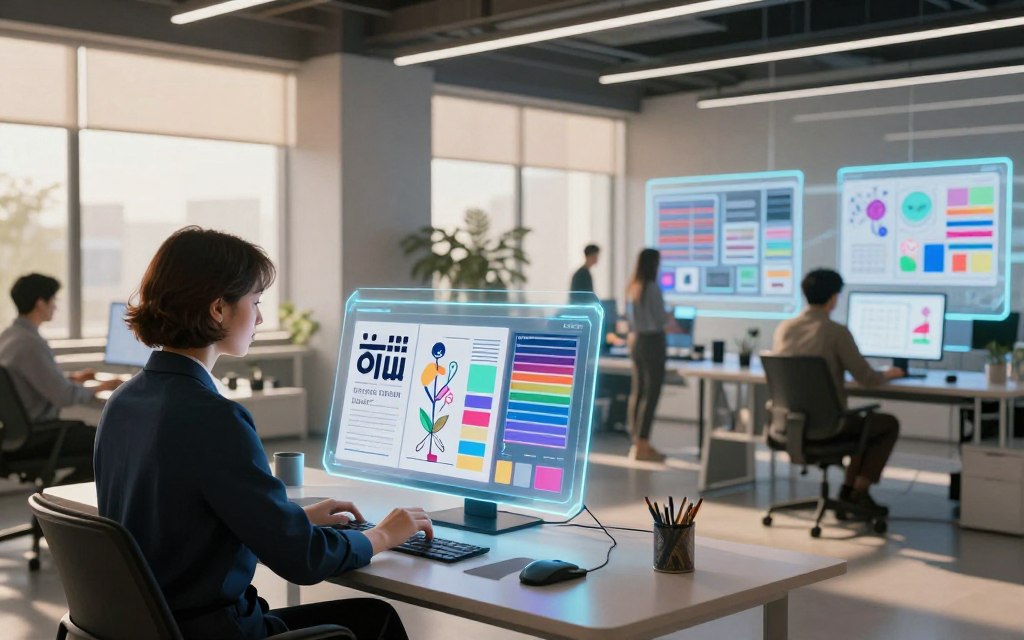
AI tools are changing graphic design workflows in major ways. Once experimental, generative AI for designers now supports daily work. It handles repetitive tasks, so designers can focus on concepts and creative choices.
AI tools now support brainstorming, mood boards, and image creation. They can remove backgrounds, replace objects, and suggest copy. Automation improves accessibility and helps teams adapt content quickly in today’s fast-paced environment.
AI adoption differs among studios. Studio size, budget, client needs, and data-security policies shape these choices. Most American studios treat AI as one part of a wider tool stack, not a replacement for traditional design applications.
How AI Tools Have Entered the Design Workflow
AI now plays an important role in the AI design workflow. Tools like Adobe Firefly and Canva Magic Studio support the creative process. They help designers test styles and layouts while making many variations quickly.
Platforms like Midjourney and DALL-E focus on image generation and offer unique visuals for projects. These tools are powerful, but human review still protects quality and brand guidelines.
Leading AI Design Platforms Used by American Studios
| Platform | Type | Main Features | Ideal For |
|---|---|---|---|
| Adobe Firefly | Integrated Design Software | Generative image creation, layout suggestions | Professional designers |
| Canva Magic Studio | Integrated Design Software | Template customization, AI-generated graphics | Small businesses, marketers |
| Midjourney | Image Generation Tool | High-quality image synthesis | Creative projects, branding |
| DALL-E | Image Generation Tool | Text-to-image generation | Artistic and unique designs |
AI tools improve speed and idea development, but human designers remain essential. They make sure each result fits the brand identity and quality standards. Human review, prompt quality, and file organization support an effective AI design workflow.
AI is becoming more important in graphic design because it boosts creativity and efficiency. As tools evolve, designers will find new ways to use them and enrich their work.
Will Graphic Design Be Replaced by AI? A Direct Examination
The human designers vs AI debate raises a critical question: will machines replace human creativity? We must separate tasks AI performs well from work needing human judgment.
Design Tasks AI Can Execute Efficiently
AI has made major progress with automated graphic design. It excels at repeatable tasks, including:
- Image variations
- Basic retouching
- Cropping and resizing
- Template adaptation
- Color exploration
- Simple compositing
- First-draft concept generation
These tools let designers focus on harder work. AI-generated visuals can handle much of the mechanical production.
Design Tasks That Still Require Human Judgment
Despite advances in AI design automation, several tasks still need human insight and creativity. These include:
- Defining the communication objective
- Interpreting an ambiguous brief
- Selecting an appropriate visual metaphor
- Understanding the audience
- Resolving conflicting stakeholder feedback
- Deciding on ethical or culturally appropriate concepts
AI can boost productivity, but it cannot replace the human role in creative decision-making. Task automation does not mean occupational replacement. Instead, designers may take greater responsibility for creative direction, quality control, and client outcomes.
In conclusion, graphic design is unlikely to disappear. Designers’ roles will evolve as AI handles more routine execution tasks. This shift will help human designers focus on creating meaningful and impactful designs.
| Task Type | AI Capability | Human Requirement |
|---|---|---|
| Image Variations | Efficient | Minimal |
| Concept Generation | First Drafts | Creative Insight |
| Retouching | Basic | Quality Control |
| Template Adaptation | Automated | Customization |
| Color Exploration | Fast | Contextual Understanding |
The Irreplaceable Value of Human Designers
AI tools are making waves in graphic design, but human creativity in design remains irreplaceable. Human designers matter when projects need emotion, trust, and lasting brand relationships. They connect with audiences more deeply than AI can.
Emotional Intelligence and Brand Storytelling
Designers turn a company’s purpose, personality, history, and customer promise into one clear visual language. This work goes beyond looks; it uses brand storytelling. With emotional intelligence in design, they hear clients, understand unspoken concerns, and build collaboration that connects with real audiences.
Through empathy and understanding, designers create work that speaks to consumers’ hearts. That bond builds trust and loyalty, which help brands form lasting customer relationships.
Strategic Thinking and Cultural Context
Design decisions must consider cultural context, regional expectations, accessibility, and social sensitivities. AI can spot patterns in existing material, but may miss why a cultural reference feels inappropriate. Designers interpret needs and make decisions that connect business goals with human experiences.
Design strategy requires designers to study competition and choose what best supports the desired impact. The best choice may look less impressive, yet work better. AI cannot replicate this nuanced understanding.
| Aspect | Human Designers | AI Tools |
|---|---|---|
| Emotional Intelligence | High | Low |
| Brand Storytelling | Strong | Limited |
| Cultural Context | Deep Understanding | Pattern Recognition |
| Strategic Thinking | Complex | Basic |
How AI Is Reshaping the Graphic Designer’s Role
AI is changing how graphic designers work. Technology is moving them from production tasks toward the creative director role and more strategic work. This shift lets them set visual rules and judge results.
In an AI-augmented design studio, designers take on duties that strengthen their creative input. Prompt engineering for designers becomes an important skill. This includes:
- Establishing creative direction: Designers guide the overall vision and ensure that AI-generated outputs align with brand identity.
- Prompt engineering: Crafting effective prompts for AI tools becomes crucial, as it directly influences the quality of generated designs.
- Art direction: Designers oversee the integration of AI elements with original work, ensuring a cohesive final product.
Designers also need strong design automation skills and AI design management skills. These skills help them manage modern workflows. For example, dataset awareness and version control help keep projects consistent.
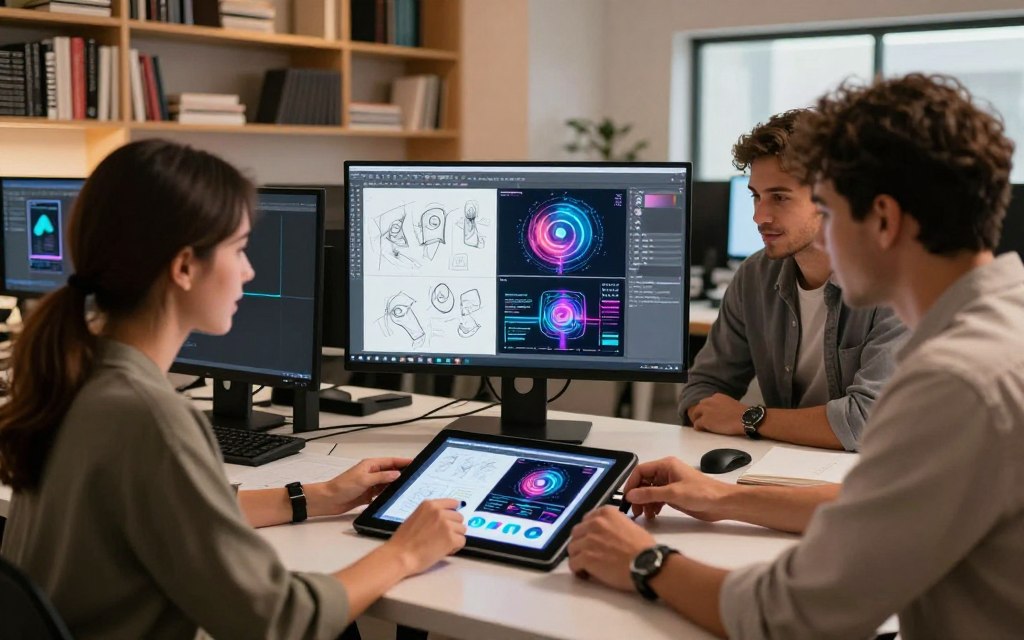
As senior designers lead AI tool adoption, they must create acceptable-use policies and document tool usage. This protects client confidentiality and helps teams follow licensing conditions. Consistent approval standards help designers maintain quality.
AI raises the value of judgment, communication, and oversight in graphic design. AI can handle repetitive tasks, but human judgment still supports originality and quality. As designers adapt, they can find new ways to innovate and redefine their industry roles.
| Responsibility | Traditional Role | AI-Augmented Role |
|---|---|---|
| Creative Direction | Manual production tasks | Guiding overall vision |
| Prompt Engineering | Basic design execution | Crafting effective prompts |
| Art Direction | Finalizing designs | Integrating AI elements |
| Policy Establishment | N/A | Setting usage guidelines |
Industries Most Affected by AI-Driven Design
AI-driven design is changing many industries. AI in marketing design, web design, and print publishing shows this shift clearly. These fields use AI to work faster, improve processes, and create new solutions.
Marketing, Advertising, and Social Media
In the realm of marketing, AI is changing how teams plan and run campaigns. Demand for high-volume campaign variations has skyrocketed as brands tailor messages for diverse audiences. AI advertising design and social media content creation tools personalize creative for each platform.
AI creates many options quickly, but human professionals must guide campaign strategy. They protect the brand voice, improve access, and make sure messages reach the target audience. As one expert noted, “AI can enhance creativity, but it cannot replace the human touch that connects with consumers.”
Web Design and User Interface Creation
In the field of web design and user interface creation, AI plays a key role in generating wireframes and suggesting components. AI web design tools organize content and create responsive prototypes for different devices. AI user interface design lets designers focus on creative work while supporting a functional user experience.
Yet user research, interaction logic, and usability testing still need human insight. Professionals must shape product strategy around users’ needs and behaviors. This care helps make the final product effective and engaging.
Print Publishing and Editorial Work
AI is advancing print publishing and editorial work. Automated layouts, image selection, and headline exploration can greatly speed production. AI in publishing gives teams valuable help and lets them focus on higher-level editorial tasks.
Even with these advances, human judgment remains essential. Fact-checking, visual hierarchy, and rights management need care that AI cannot match. As the industry changes, combining AI efficiency with human oversight will remain critical for high-quality results.
Risks and Limitations of AI in Graphic Design
AI in graphic design brings risks and limits that organizations must manage. Teams using AI tools should watch for legal concerns and quality problems during design work.
Copyright, Ownership, and Legal Concerns
One major concern involves copyright and ownership of AI-generated designs. Laws for AI art differ by location and tool, creating confusion about the commercial use of AI art and related rights. These AI copyright issues can affect rights and business plans.
Organizations should review each AI platform’s terms of service. Keep source materials and prompts to create a clear ownership record. Do not upload confidential client assets without permission; this may cause legal trouble.
AI outputs may accidentally resemble existing artwork. Generated trademarks or text may infringe copyrights and cause authorship disputes. Seek legal advice for high-value or high-risk projects.
Quality Control and Brand Consistency Challenges
AI design quality control matters because generated work can contain errors. Common problems include distorted typography, wrong details, and inconsistent characters. Visual artifacts and hard-to-read color combinations can lower design quality.
Outputs may also drift from brand guidelines, harming brand consistency. Qualified professionals should review AI work before publication. This review matters most in regulated industries or campaigns involving sensitive communities.
AI tools can improve design, but organizations must understand their risks and limits. For more insights on optimizing AI interactions, check out this resource.
Collaboration Between Designers and AI Tools
AI tools are changing graphic design workflows and how designers work together. This partnership creates a more effective and innovative design process. A structured workflow helps designers use AI to improve creativity and productivity.
A clear brief starts successful human-AI collaboration. It defines the target audience, brand parameters, deliverables, and success criteria. Then designers use AI tools for ideas and production.
Effective Workflows for Human-AI Partnership
The designer starts concept development in a clear workflow. They use AI to explore options and generate creative directions. Then the designer selects and refines the strongest ideas.
Next, the team checks the generated content for accuracy and rights. Professional design principles help ensure quality. A human designer must approve the final solution.
Shared libraries, prompt notes, and review checkpoints can improve collaboration. Naming rules and version control can make the design agency AI workflow more efficient. Teams can then manage each project more easily.
Real-World Examples From U.S. Design Agencies
Many U.S. creative agencies now use an AI-assisted design process. Some use AI to create early campaign directions, enabling quick revisions. Others adapt approved artwork into multiple social formats, saving time and resources.
During concept development, AI can create placeholder imagery. This lets designers refine ideas without focusing on small details. Faster mood-board creation also supports more agile project management.
AI should support an agency’s process, not replace client discovery or creative accountability. A collaborative design approach lets designers use AI while keeping their unique creative touch. Collaborative design tools can support this balanced process.
Essential Skills Graphic Designers Must Develop
As graphic design changes, designers must adapt to succeed in an AI-driven environment. AI skills for graphic designers include technical ability, creativity, and a strong personal brand for designers.
Technical Proficiency With AI Design Software
To stay relevant, graphic designers need technical proficiency with major AI design software. AI design software training should cover effective prompts, reference materials, and editing generated outputs. Designers also need knowledge of both vector and raster applications.
Designers must check accessibility and recognize unreliable AI results. Software knowledge alone is not enough; designers also need skills in typography, composition, visual systems, research, presentation, project management, and client communication. These future-ready designer skills help them use AI tools well and maintain high work standards.
Creative Direction and Personal Brand Building
A strong personal brand helps graphic designers show their unique viewpoint, specialty, and problem-solving skills. Rather than showing only attractive images, they should explain their process and the business challenges they solve.
Thoughtful case studies can strengthen a designer’s reputation. They should document objectives, constraints, iterations, decisions, and measurable outcomes. This work shows creative leadership and ethical judgment, positioning designers as valuable assets in an evolving market.
Continuous learning and adaptation to new tools and trends will remain crucial as the design industry progresses. These skills will improve designers’ abilities and help them stay competitive in an AI-influenced labor market.
The Economic Impact of AI on the Graphic Design Industry
AI is changing the economics of graphic design. As AI tools enter daily workflows, demand for AI graphic design jobs is shifting. This change affects job roles, prices, and client expectations for designers.
In the U.S. design job market, low-complexity production work is becoming less common. Roles in art direction, brand systems, and product design now need more creativity and strategic thinking.
Employment patterns differ across regions and agency types. Technology companies and in-house teams may seek different skills than freelance graphic design marketplaces.
AI and design pricing is also changing. Designers should price their expertise, strategic value, and the overall impact of their work. Scope, risk, usage rights, and revision counts should guide project costs.
This matters because clients increasingly expect quick, cheap solutions and may miss design’s complex process.
Designers can address client expectations for designers by explaining each project stage. These stages include discovery, creative development, review, legal checks, and implementation. Clear communication helps clients understand the work’s value and required time.
AI may increase competition in commoditized services. Yet it creates opportunities for specialists who offer distinct, reliable design solutions. Designers who embrace change and focus on strategic, creative roles will likely thrive.
For more insight into how automation affects job markets, read this article on the future of automation.
Predictions for the Future of Graphic Design
The future of AI in graphic design will bring major changes. Within one to three years, mainstream design software will add more generative features. These graphic design predictions include faster content variations and improved brand-aware systems.
AI literacy will become more important for designers. Organizations will likely create formal policies for privacy, rights, and quality assurance. Designers who guide and assess AI may outperform those who use it without a clear process.
Short-Term Outlook: The Next One to Three Years
Several short-term AI design trends will emerge during this period:
- Enhanced collaboration tools that allow designers to work seamlessly with AI.
- Greater emphasis on ethical design practices as AI technologies evolve.
- Increased focus on user experience, driven by AI analytics.
Long-Term Outlook: The Next Five to Ten Years
Over the next five to ten years, the future of graphic design may include:
- More automated production pipelines that streamline workflows.
- Adaptive interfaces that personalize visual content for users.
- Synthetic brand assets that maintain consistency across platforms.
Human accountability will remain important despite these advances. Designers will still shape original positioning, cultural meaning, and ethical review. Manual roles may decline, while long-term design careers grow for AI-enabled designers, art directors, strategists, and creative systems managers.
“The future will demand a balance between technology and human creativity.”
The exact tools and job titles are hard to predict, but strategic creativity and responsible decisions will endure. Embracing change can help designers stay relevant and build future-proof graphic design skills.
Conclusion
Graphic design is changing, and “will graphic design be replaced by AI conclusion” captures this concern. AI may replace or streamline some tasks, but it will not end the profession.
Effective design needs strategy, empathy, and cultural awareness; AI cannot copy these qualities. Designers should use AI as a tool, not a substitute for their unique skills.
AI and the future of designers depend on balancing technology with human creativity. AI boosts speed and testing, but human-centered graphic design adds meaning and judgment.
Designers should protect their creative rights and build a recognizable point of view.
As the industry changes, professionals must build skills that machines cannot easily copy. These skills include strategic thinking and emotional intelligence.
Documenting strategic results will show a designer’s value in a competitive market.
For an adaptable design career, staying informed about AI tools is crucial. The future belongs to people who know when, why, and how to use AI responsibly.
Embrace change and use technology to expand your creative horizons.

 By
By